
Use the Web to read Docs, discover creative resources, inspect a workflow file, save favorites, and publish work around your local Studio.
Public without an account #
| Page | Purpose |
|---|---|
| Docs | Learn Studio and Web tasks |
| Resources | Discover Pipes, workflows, models, node packs, and guides |
| Workflow Doc | Inspect a supported workflow file privately in the browser |
| Studio download | Get the public desktop package |
Resources is the public catalog. My Desk and Library hold the things you save or publish after signing in.
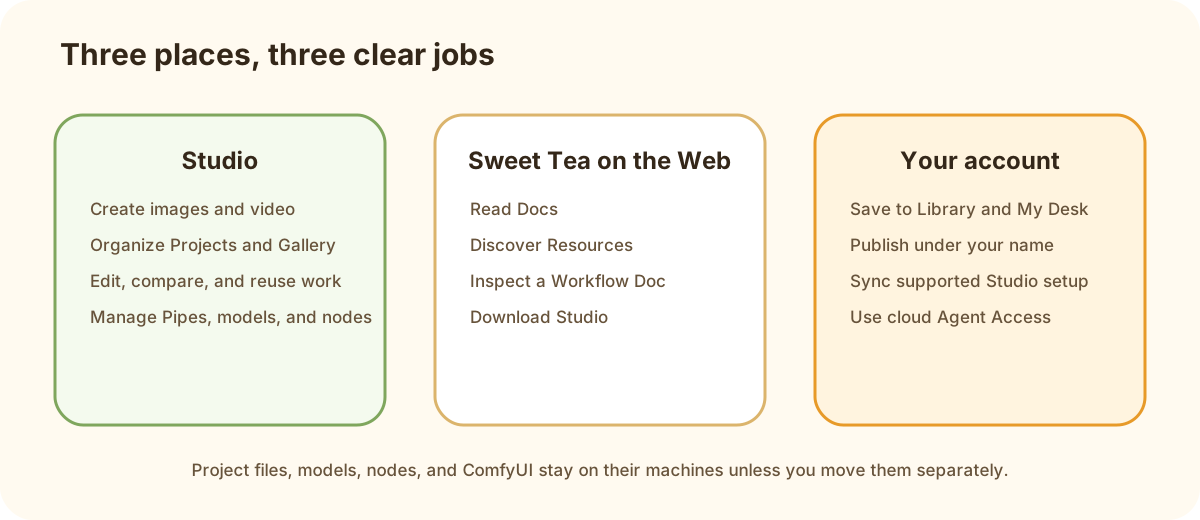
Studio, Sweet Tea on the Web, and your account each have a clear role.
Features that need an account #
Sign in to save Resources, use Library and My Desk, manage devices and tokens, publish under your creator name, sync supported Studio setup, or use cloud Agent Access.
The public /agent-access page introduces the feature and links to Agent Access.
Start from the task #
- Discover something to run: Web Resources
- Understand a workflow file first: Workflow Doc
- Save or publish: Desk and publishing
- Manage account, plans, trust, or support: Web account and trust