
Save a Canvas when you want to come back to the same Pipe, prompt, controls, and working images later.
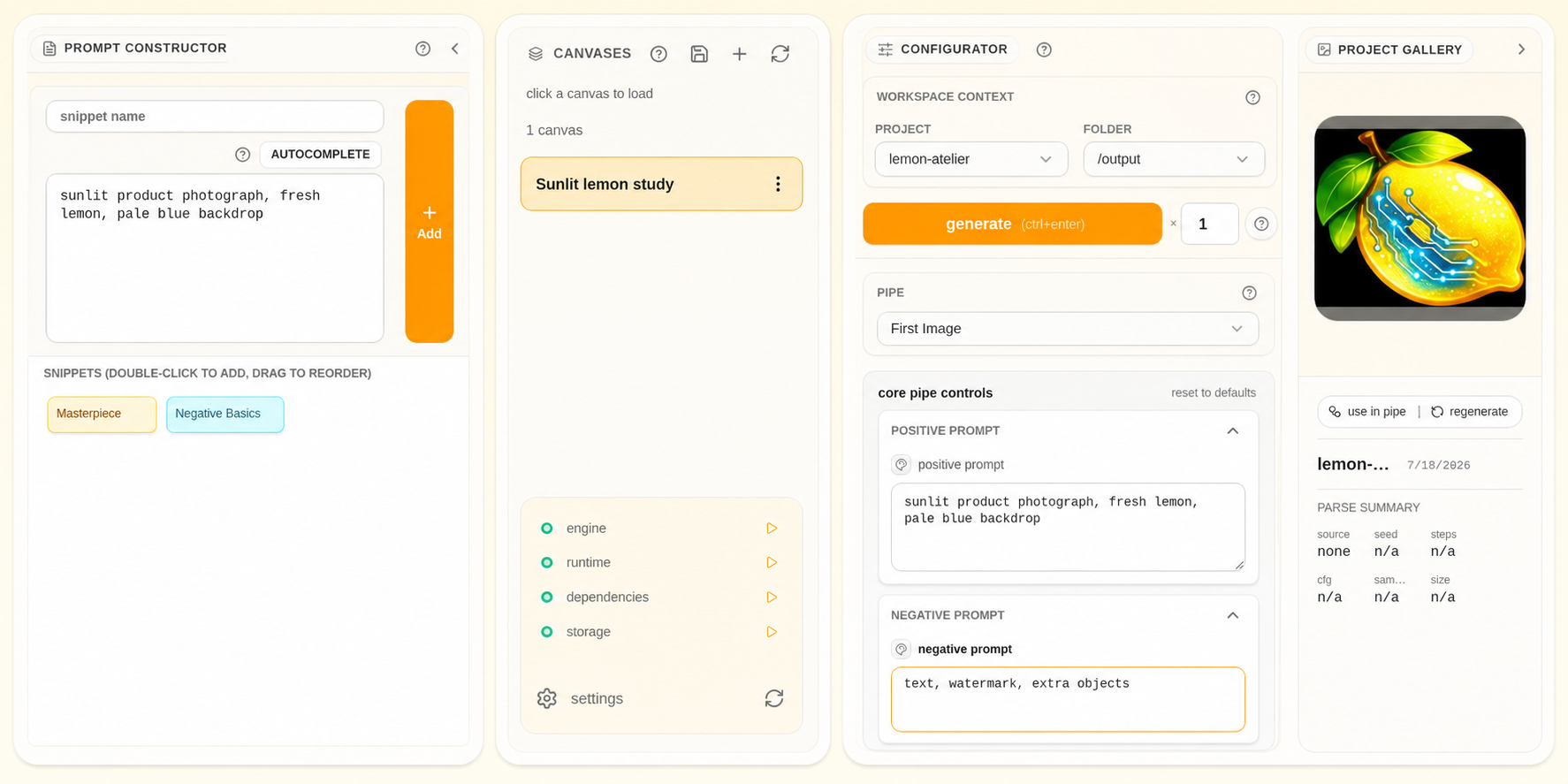
A Canvas is a saved Prompt Studio workspace. It keeps the Pipe, prompt, selected controls, and working images needed to resume, while Gallery keeps the images and video you have already made.
Save a Canvas #
- Confirm the active project and Pipe.
- Remove prompt fragments or temporary media you do not want to reopen.
- Save the current workspace as a Canvas.
- Give it a name that describes the creative setup or goal.
- Reopen it once to confirm the workspace returns as expected.
Resume deliberately #
Opening a Canvas restores the saved workspace in Prompt Studio. Check the project, folder, and any model choices before generating, especially after changing the connected ComfyUI installation.
Canvas or Pipe? #
| Save a Canvas when… | Edit or create a Pipe when… |
|---|---|
| You want to resume one creative setup | The creator-facing controls should change for every use |
| Prompt blocks and selected values matter | Workflow mapping, labels, groups, or bypass controls matter |
| The Pipe is already correct | The Pipe itself needs different controls |