
Inspect and manage the custom-node packs available to the connected ComfyUI installation.
Before you start #
Read the Pipe dependency report first. Install the pack that provides a required class rather than collecting unrelated extensions.
Nodes combines custom-node inventory, registry installs, explicit advanced repository installs, operation jobs and logs, enable or disable, updates, and uninstall. Each operation targets the connected ComfyUI environment.
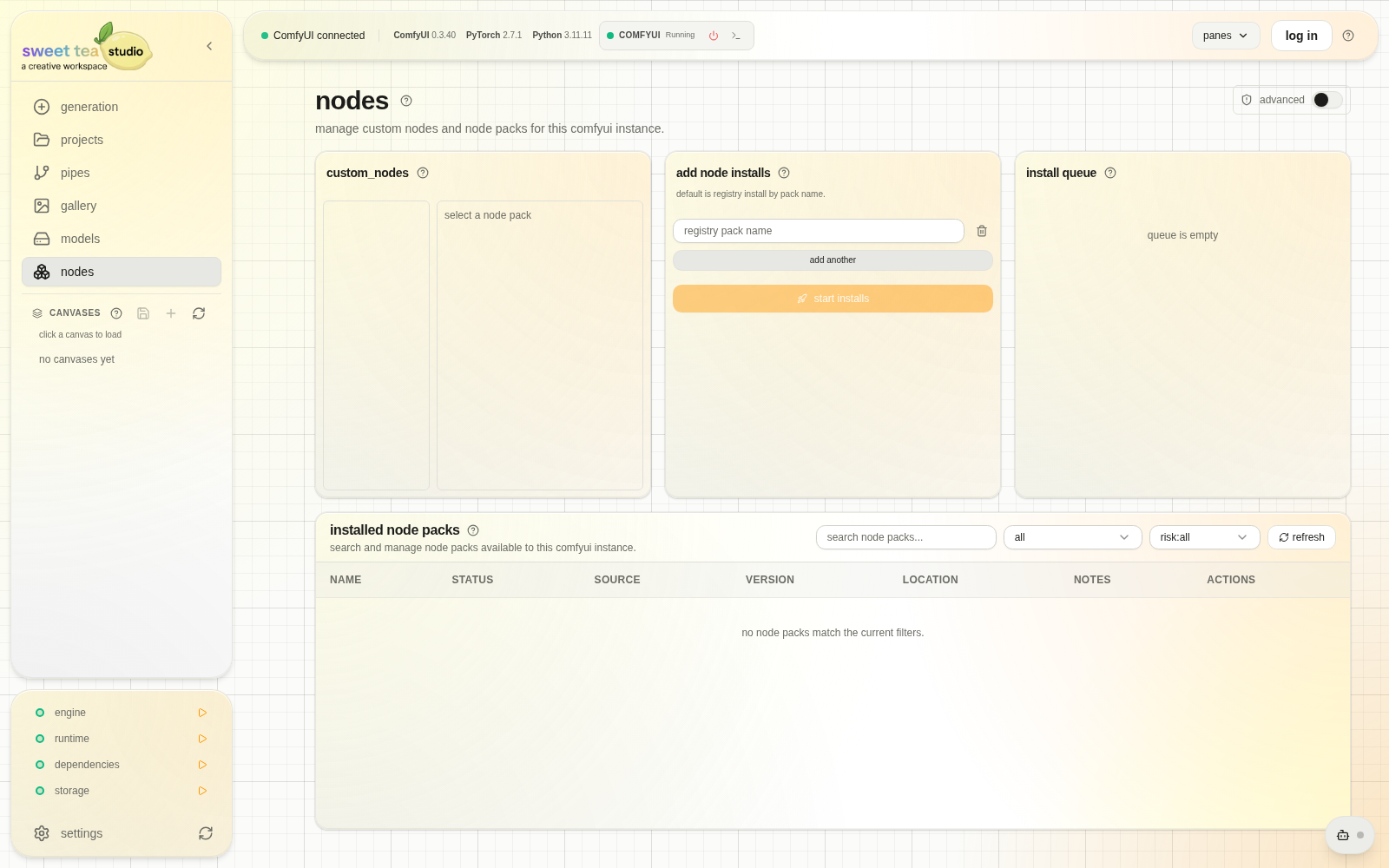
Source, risk, queued operations, and installed state stay visible.
Selecting a custom-node pack reveals its source, risk information, version, installation path, indexed node classes, current state, and available operations. Use those details to confirm that the pack is the intended dependency.
Install a pack #
Registry pack-name installation is the default path. A raw repository URL is an advanced install and requires explicit confirmation because source, packaging, and update behavior carry more uncertainty.
- Choose the registry candidate named by dependency inspection.
- Review its source and provided classes.
- Start the install.
- Read the terminal log.
- Restart ComfyUI when required.
- Revalidate the Pipe.
The install queue records queued, running, completed, failed, and cancelled node operations with logs. Queued and running work can be cancelled; completed history can be removed after its result has been reviewed.
Installed Node Packs supports search and filtering across the complete environment. From a selected pack you can enable, disable, update, or explicitly uninstall, then restart and revalidate the affected workflows.