
Check what the selected Pipe needs, install only what is missing, and validate it against the ComfyUI installation that will run it.
Before you start #
Connect the target ComfyUI engine and select the Pipe. A Pipe may work with one ComfyUI installation and be missing dependencies on another.
Dependency inspection checks the workflow against the nodes and models available in the connected ComfyUI engine. It reports missing node classes, model references, possible node packs, and whether Studio can install an identified repair. Repairing dependencies does not change how the Pipe’s controls are presented.
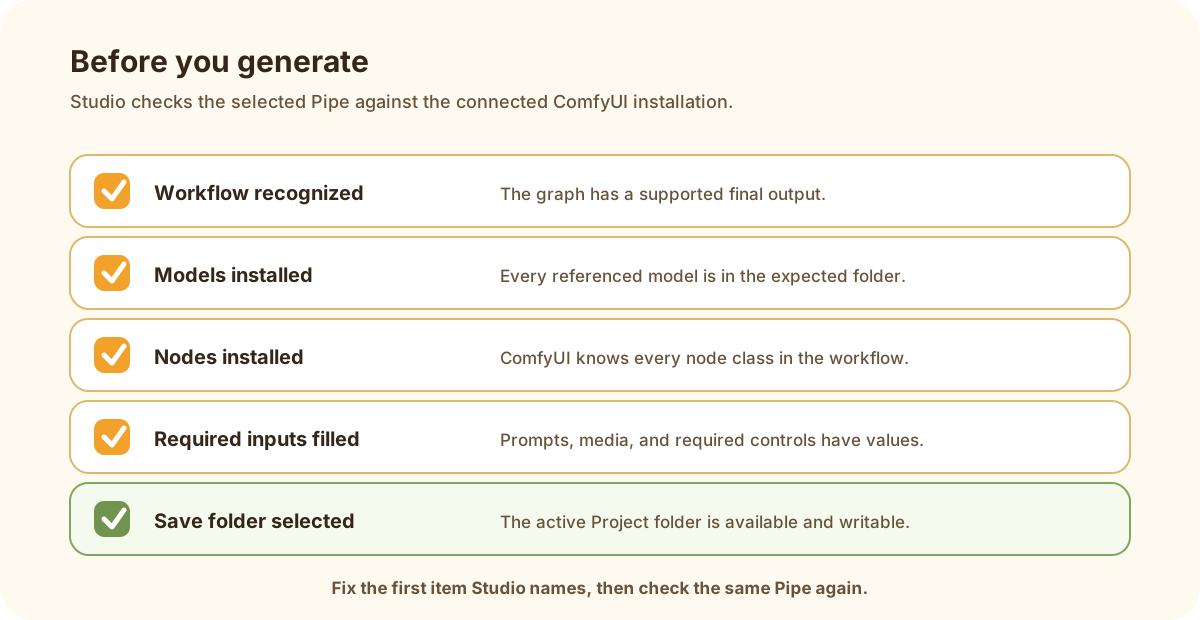
Fix the first item Studio names, then check the same Pipe again.
Resolve a report #
- Revalidate the Pipe.
- Confirm the workflow and final output checks pass.
- Open missing models and install each into the named model kind.
- Open missing node classes and review candidate packs.
- Install a registry pack, or explicitly choose an advanced raw repository install.
- Restart ComfyUI when the installed pack requires it.
- Revalidate and confirm that the choices supplied by ComfyUI now appear.
- Run one small baseline generation.
What each match means #
| Finding | Meaning |
|---|---|
| Exact installed match | The connected ComfyUI installation reports the required item |
| Candidate node pack | Registry evidence suggests a provider; review before install |
| Model name missing | The graph references a file absent from detected folders |
| Unknown node | Object information cannot resolve the class |
| Workflow invalid | Repair the workflow before installing more dependencies |