SDXL VAE FP16 Fix
SDXL-VAE-FP16-Fix is the SDXL VAE, but modified to run in fp16 precision without generating NaNs.
Source du modèle
- Type
- VAE
- Taille du fichier
- 319 MB
- Version
- vdiffusion_pytorch_model
- Mis à jour
- 17 sept. 2026
- Éditeur
- @madebyollin
- Téléchargements
- 306,7 k
- Source
- Hugging Face
Description de la source
SDXL-VAE-FP16-Fix
SDXL-VAE-FP16-Fix is the SDXL VAE*, but modified to run in fp16 precision without generating NaNs.
| VAE | Decoding in float32 / bfloat16 precision | Decoding in float16 precision |
|---|---|---|
| SDXL-VAE | ✅ | ⚠️ |
| SDXL-VAE-FP16-Fix | ✅ | ✅ |
🧨 Diffusers Usage
Just load this checkpoint via AutoencoderKL:
import torch
from diffusers import DiffusionPipeline, AutoencoderKL

vae = AutoencoderKL.from_pretrained("madebyollin/sdxl-vae-fp16-fix", torch_dtype=torch.float16)
pipe = DiffusionPipeline.from_pretrained("stabilityai/stable-diffusion-xl-base-1.0", vae=vae, torch_dtype=torch.float16, variant="fp16", use_safetensors=True)
pipe.to("cuda")

refiner = DiffusionPipeline.from_pretrained("stabilityai/stable-diffusion-xl-refiner-1.0", vae=vae, torch_dtype=torch.float16, use_safetensors=True, variant="fp16")
refiner.to("cuda")

n_steps = 40
high_noise_frac = 0.7

prompt = "A majestic lion jumping from a big stone at night"

image = pipe(prompt=prompt, num_inference_steps=n_steps, denoising_end=high_noise_frac, output_type="latent").images
image = refiner(prompt=prompt, num_inference_steps=n_steps, denoising_start=high_noise_frac, image=image).images[0]
image
Automatic1111 Usage
- Download the fixed sdxl.vae.safetensors file
- Move this
sdxl.vae.safetensorsfile into the webui folder understable-diffusion-webui/models/VAE - In your webui settings, select the fixed VAE you just added
- If you were using the
--no-half-vaecommand line arg for SDXL (inwebui-user.bator wherever), you can now remove it
(Disclaimer - I haven't tested this, just aggregating various instructions I've seen elsewhere :P PRs to improve these instructions are welcomed!)
Details
SDXL-VAE generates NaNs in fp16 because the internal activation values are too big:
SDXL-VAE-FP16-Fix was created by finetuning the SDXL-VAE to:
- keep the final output the same, but
- make the internal activation values smaller, by
- scaling down weights and biases within the network
There are slight discrepancies between the output of SDXL-VAE-FP16-Fix and SDXL-VAE, but the decoded images should be close enough for most purposes.
* sdxl-vae-fp16-fix is specifically based on SDXL-VAE (0.9), but it works with SDXL 1.0 too
Ressources connexes
3 connexions
Ressources connexes
3 connexionsSources
1 source
Sources
1 sourceVérifié 25 août
Artefacts du modèle
1 artefact
Artefacts du modèle
1 artefactdiffusion_pytorch_model.safetensors
safetensors · 319 MB · SHA-256 1b909373b28f…ce2c · Hugging Face
TéléchargerExtraits de sources
3 extraits
Extraits de sources
3 extraits--- license: mit tags: - stable-diffusion - stable-diffusion-diffusers inference: false --- # SDXL-VAE-FP16-Fix SDXL-VAE-FP16-Fix is the [SDXL VAE](https://huggingface.co/stabilityai/sdxl-vae)*, but modified to run in fp16 precision without generating NaNs. | VAE | Decoding in `float32` / `bfloat16` precision | Decoding in `float16` precision | | --------------------- | -------------------------------------------- | ------------------------------- | | SDXL-VAE | ✅  | ⚠️  | | SDXL-VAE-FP16-Fix | ✅  | ✅  | ## 🧨 Diffusers Usage Just load this checkpoint via `AutoencoderKL`: ```py import torch from diffusers import DiffusionPipeline, AutoencoderKL vae = AutoencoderKL.from_pretrained("madebyollin/sdxl-vae-fp16-fix", torch_dtype=torch.float16) pipe = DiffusionPipeline.from_pretrained("stabilityai/stable-diffusion-xl-base-1.0", vae=vae, torch_dtype=torch.float16, variant="fp16", use_safetensors=True) pipe.to("cuda") refiner = DiffusionPipeline.from_pretrained("stabilityai/stable-diffusion-xl-refiner-1.0", vae=vae, torch_dtype=torch.float16, use_safetensors=True, variant="fp16") refiner.to("cuda") n_steps = 40 high_noise_frac = 0.7 prompt = "A majestic lion jumping from a big stone at night" image = pipe(prompt=prompt, num_inference_steps=n_steps, denoising_end=high_noise_frac, output_type="latent").images image = refiner(prompt=prompt, num_inference_steps=n_steps, denoising_start=high_noise_frac, image=image).images[0] image ``` 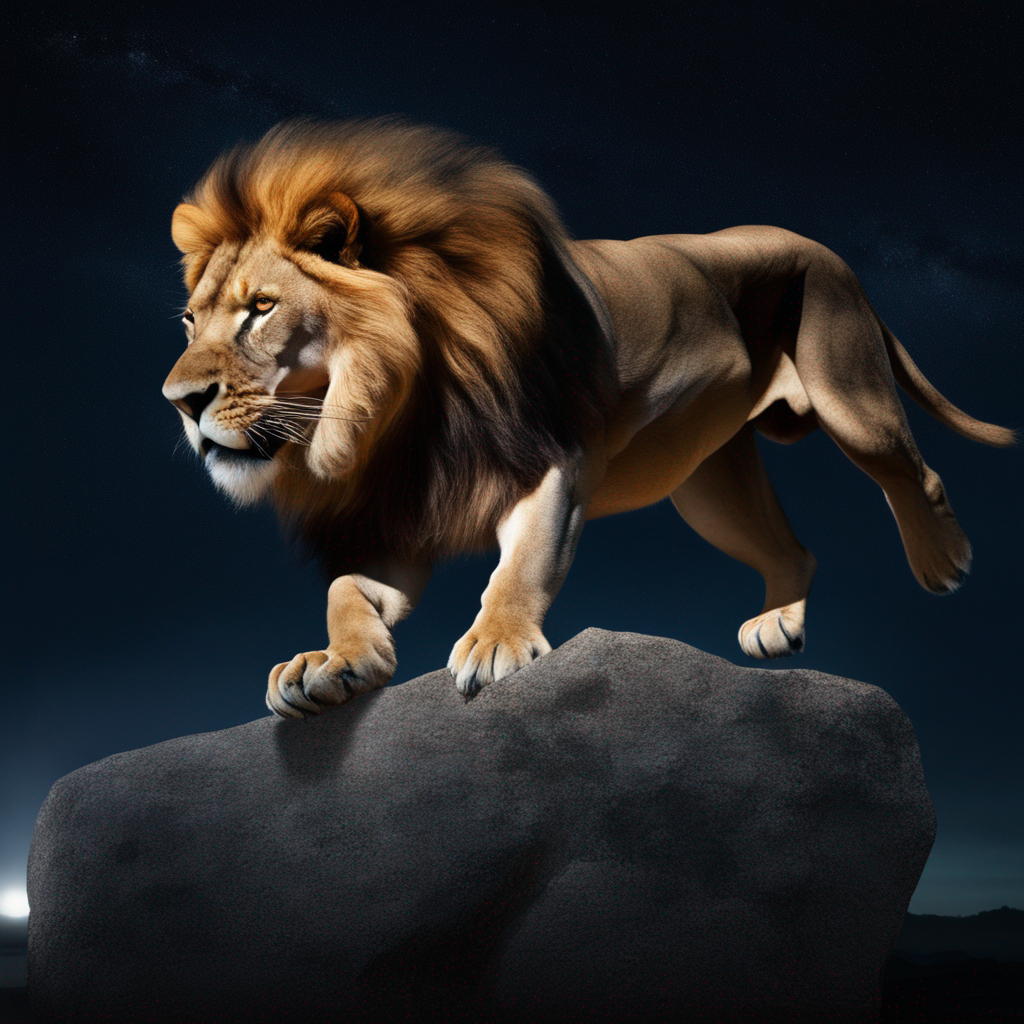 ## Automatic1111 Usage 1. Download the fixed [sdxl.vae.safetensors](https://huggingface.co/madebyollin/sdxl-vae-fp16-fix/resolve/main/sdxl.vae.safetensors?download=true) file 2. Move this `sdxl.vae.safetensors` file into the webui folder under `stable-diffusion-webui/models/VAE` 3. In your webui settings, select the fixed VAE you just added 4. If you were using the `--no-half-vae` command line arg for SDXL (in `webui-user.bat` or wherever), you can now remove it (Disclaimer - I haven't tested this, just aggregating various instructions I've seen elsewhere :P PRs to improve these instructions are welcomed!) ## Details SDXL-VAE generates NaNs in fp16 because the internal activation values are too big: 